+ Construction documents that work

Build every project on clear records.

Buildr+ gives contractors one disciplined workspace for RFIs, submittals, change orders, field records, safety documents, cost control, and professional PDFs.

iPhone in the fieldiPad in the trailerWeb at your desk
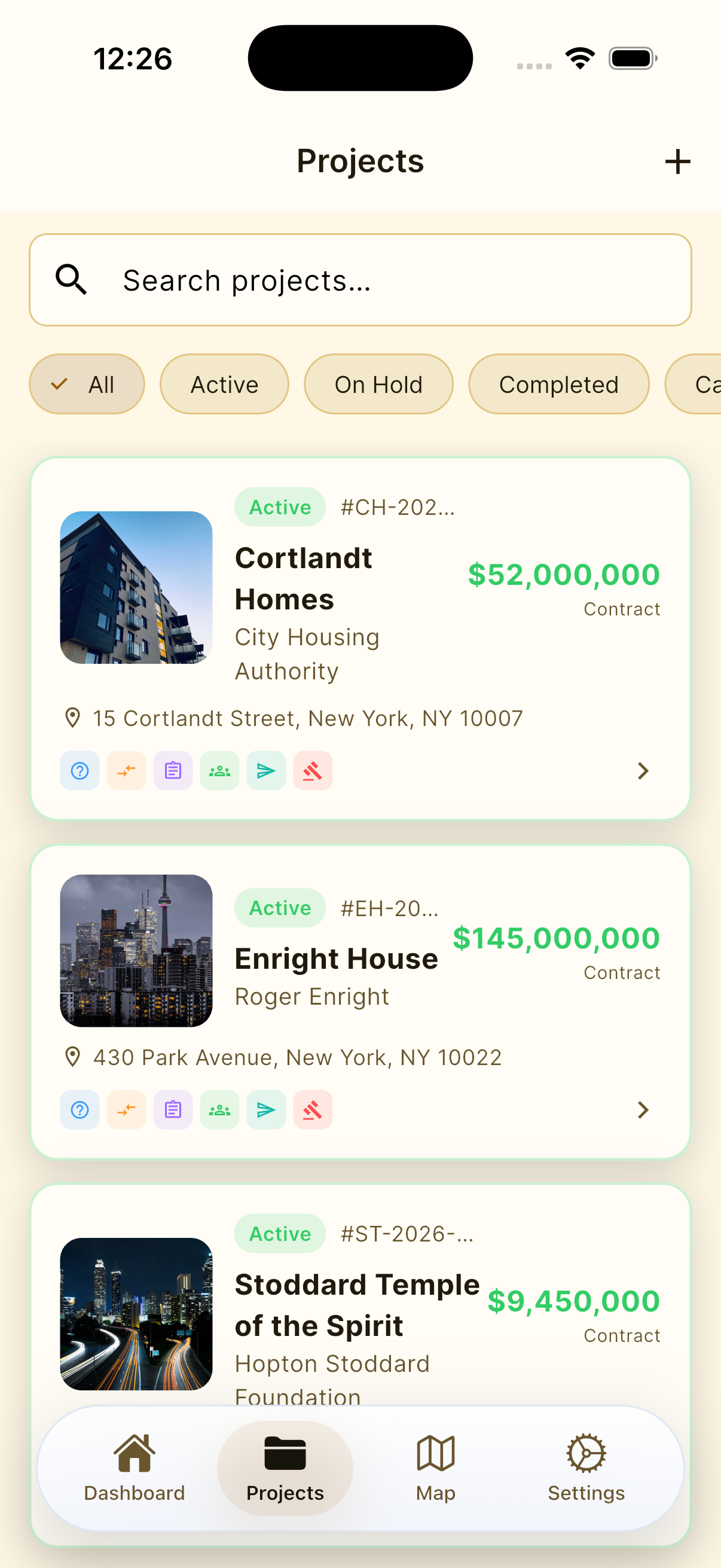
Buildr+ project list on iPhone
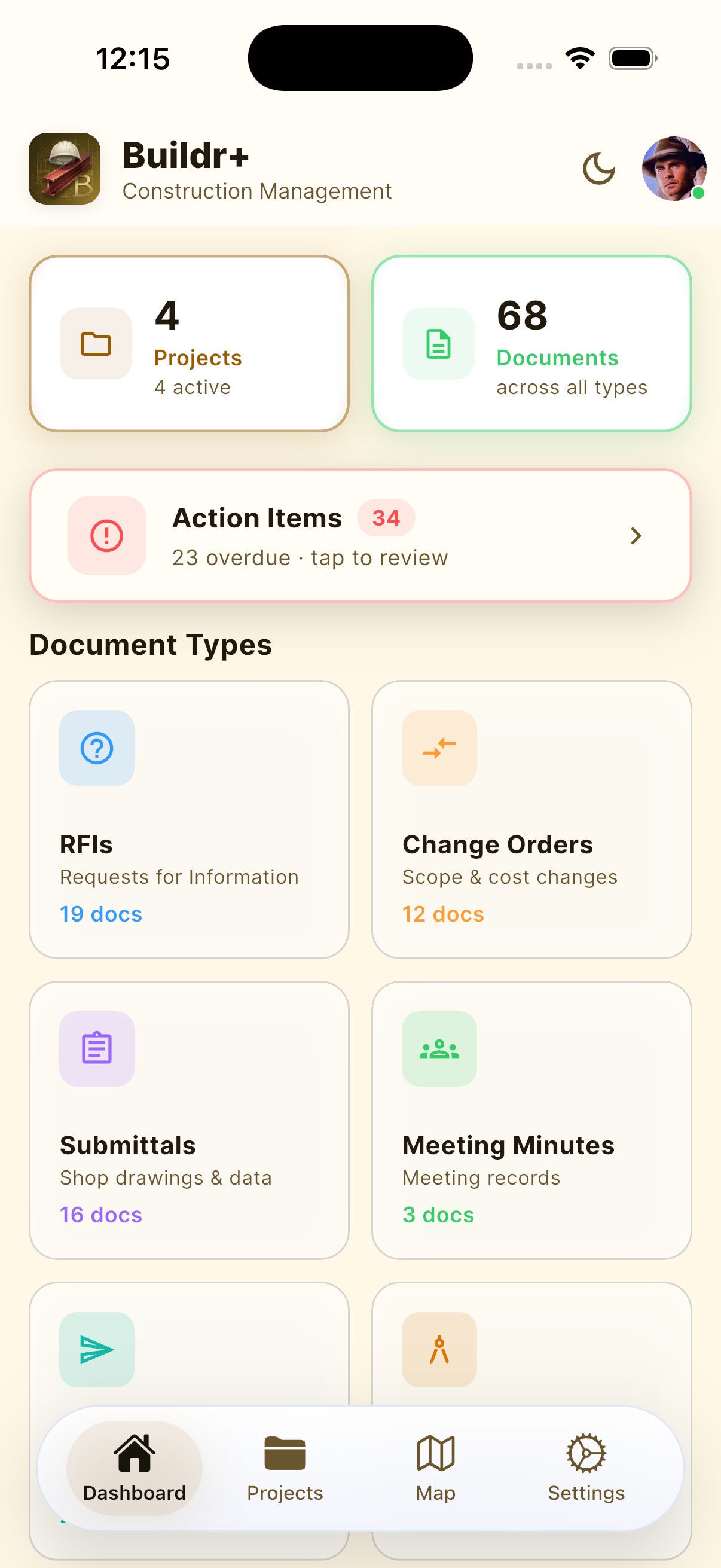
Buildr+ document dashboard on iPhone
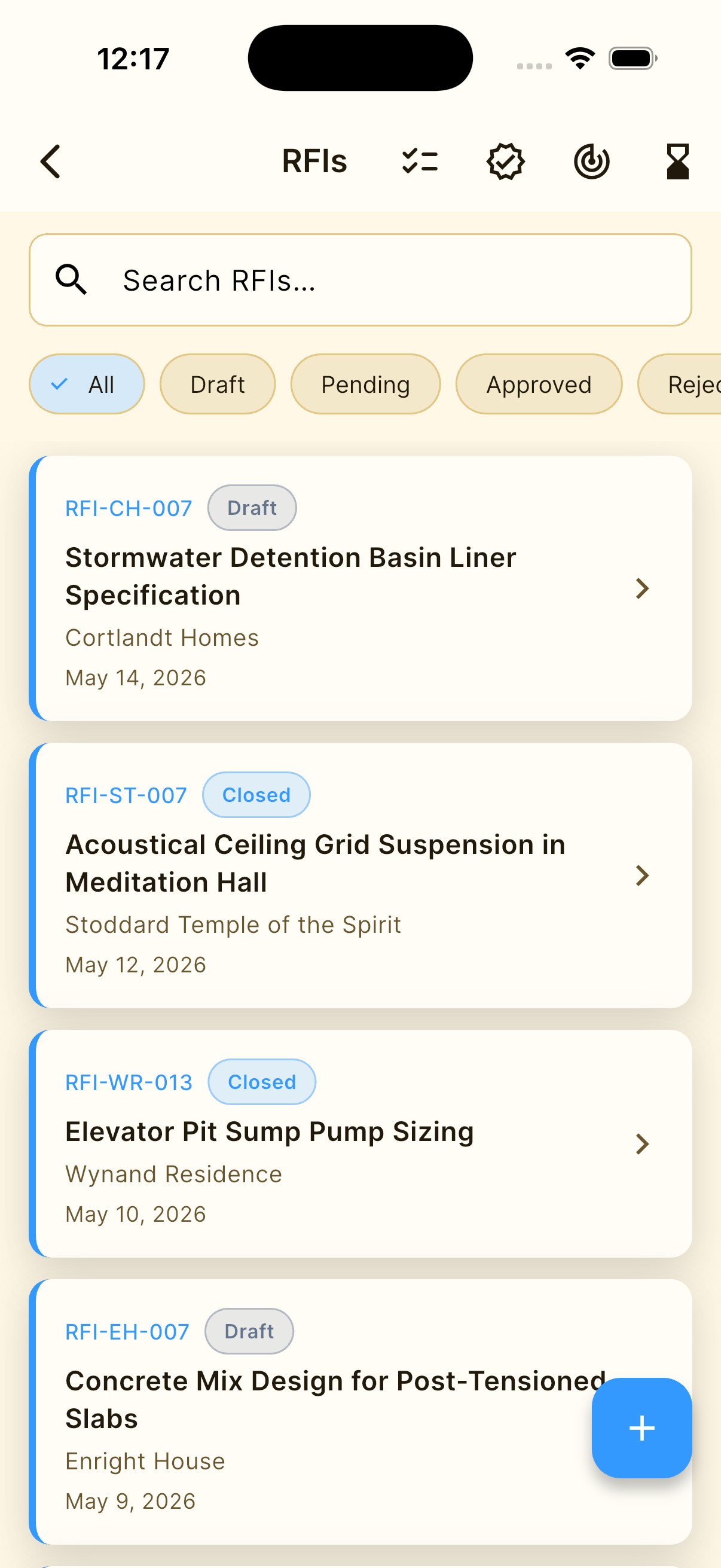
Buildr+ RFI register on iPhone

The documentation problem

Projects lose clarity between the field and the file.

Questions live in email. Cost changes live in a spreadsheet. Safety records live somewhere else. Buildr+ makes the project—not the file type—the organizing structure for the work.

Built for the way contractors actually work

One account. Three useful forms.

Use the device that fits the moment. These are real Buildr+ product views from iPhone, iPad, and the live web application.

01 / iPad

Room to read the entire project.

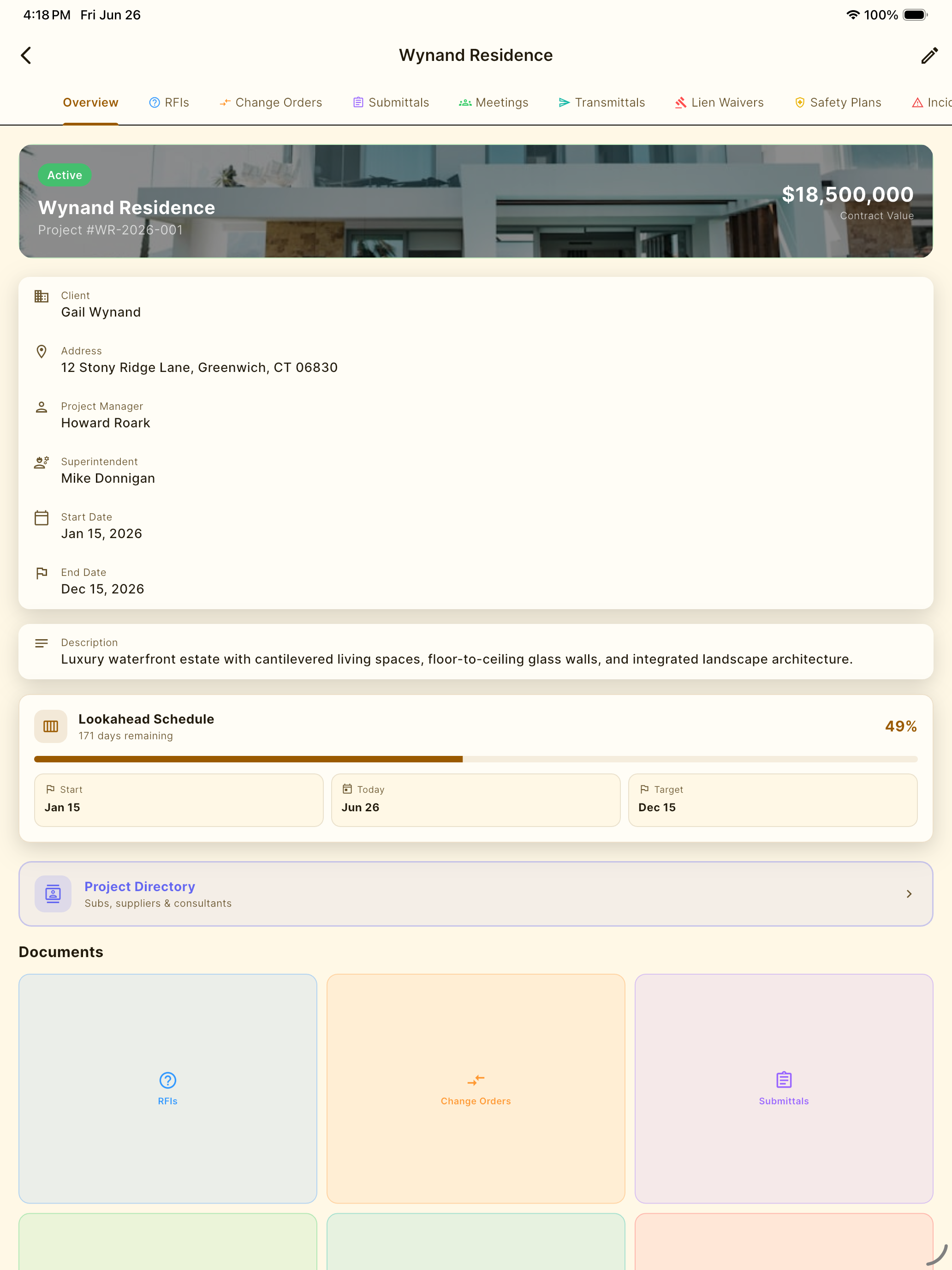
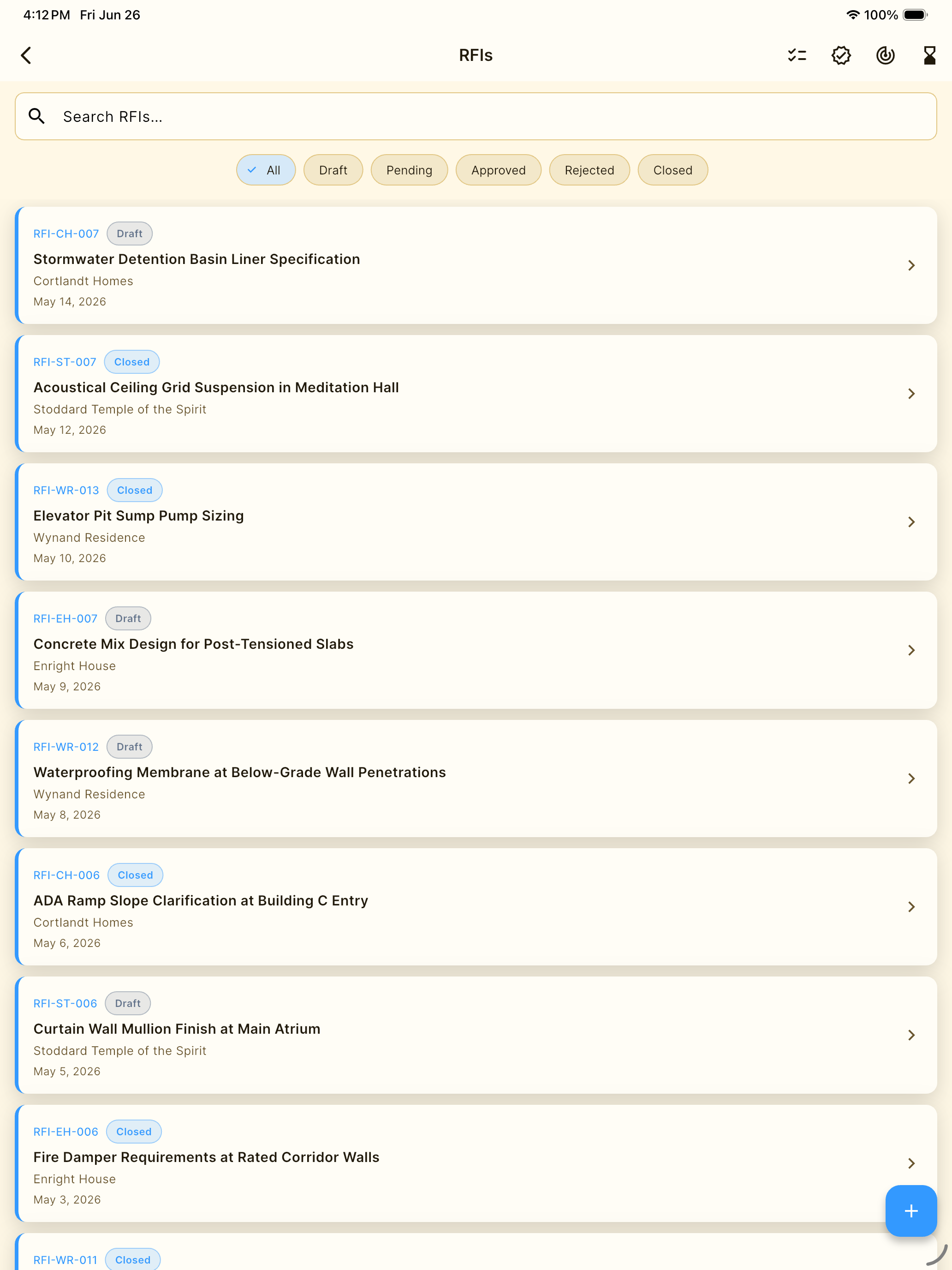
The iPad workspace keeps project context and document families visible together—useful in meetings, trailers, and detailed reviews where a phone is too small.

  • Native iPad project workspace
  • Wide project and document views
  • Practical field-to-office continuity
Buildr+ fictional Wynand Residence project workspace on iPad
app.buildrplus.com
Authenticated Buildr+ project intelligence dashboard in a desktop web browser
02 / Desktop web

Return to the project at your desk.

The desktop dashboard keeps aging, follow-up, commitments, budget exposure, safety readiness, and document-control signals visible at office scale.

Open Buildr+ on the web

A disciplined document path

From job information to issued record.

01

Start with the project

Create the job once, then keep its people, records, status, photos, and documents under one clear project spine.

02

Capture the record

Build RFIs, submittals, meeting minutes, field logs, safety records, and commercial documents while the information is current.

03

Move work forward

Use status, aging, commitments, exposure, readiness, and project context to see what is open before it turns into delay.

04

Issue a professional document

Export structured PDFs with the project and company identity intact, ready for the team, owner, or project record.

Records, registers, and project controls

The construction workflows contractors depend on—organized to work together.

Buildr+ does not force every job into one generic form. Each record keeps the fields, status, and structure its construction purpose requires.

01

Communication

  • RFIs
  • Meeting Minutes
  • Transmittals
02

Commercial control

  • Change Orders
  • Schedule of Values
  • Payment Applications
  • Lien Waivers
  • Cost Codes
03

Field and safety

  • Daily Logs
  • Punch Lists
  • Activity Safety Plans
  • Incident Logs
  • Safety Briefings
04

Document control

  • Submittals
  • Drawing Revisions
  • Submittal Register
  • Document Control Center

The project story in your pocket

Not another disconnected form library.

Each Buildr+ view answers a practical question: what kind of record is needed, which project owns it, what is open, and what must be issued next.

Project control in Buildr+ on iPhone

Project control

See the work before it turns into risk.

Buildr+ keeps active document workflows close at hand, with project counts and control views for aging, commitments, exposure, and readiness.

Project organization in Buildr+ on iPhone

Project organization

Keep every job distinct.

Search projects, read their status, and enter the correct job before creating or reviewing its records.

Communication control in Buildr+ on iPhone

Communication control

Track questions through closure.

Keep RFIs tied to the correct project, status, and response path instead of losing critical questions in inbox threads.

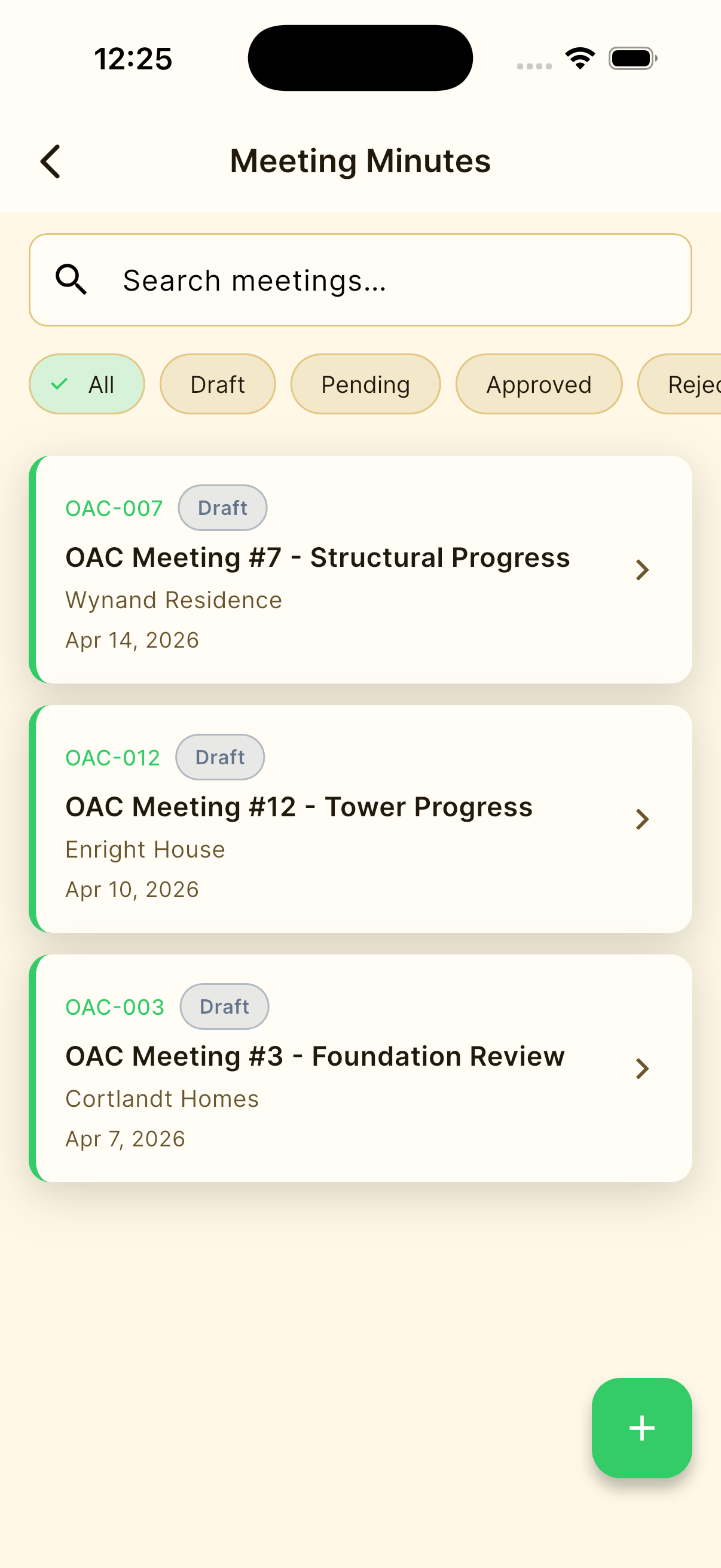
Meeting records in Buildr+ on iPhone

Meeting records

Turn discussion into follow-through.

Keep project decisions and action records tied to the job instead of scattering them across notes and inboxes.


Built by Lab Architect for construction teams.

No advertisingNo cross-company trackingNo sale of user data
Buildr+ app icon

Build the record while the work is clear.

Give every project a dependable document spine.

Download Buildr+ for iPhone and iPad, or open the web app from your desktop.

Free to download. Optional Pro subscription features are available in the app.